
Set up emergency calling (911) for your offices
When someone calls 911 from Freesbe, emergency services are sent to the address on file for them. Freesbe’s phone goes wherever a laptop goes, so the addresses need setting up before the first call, not after. This adds Northwind’s offices, picks the default, sets who’s told, and gets everyone to say where they work from. An owner, admin or Phone admin does the first part in the Admin Center; everyone does the last step themselves.
Before you start
Section titled “Before you start”- Emergency addresses can be in the United States and Canada, on the phone system from Freesbe.
- Have each office’s street address with the suite or floor.
1. Add your offices
Section titled “1. Add your offices”- Open the Admin Center, then Phone → Numbers.
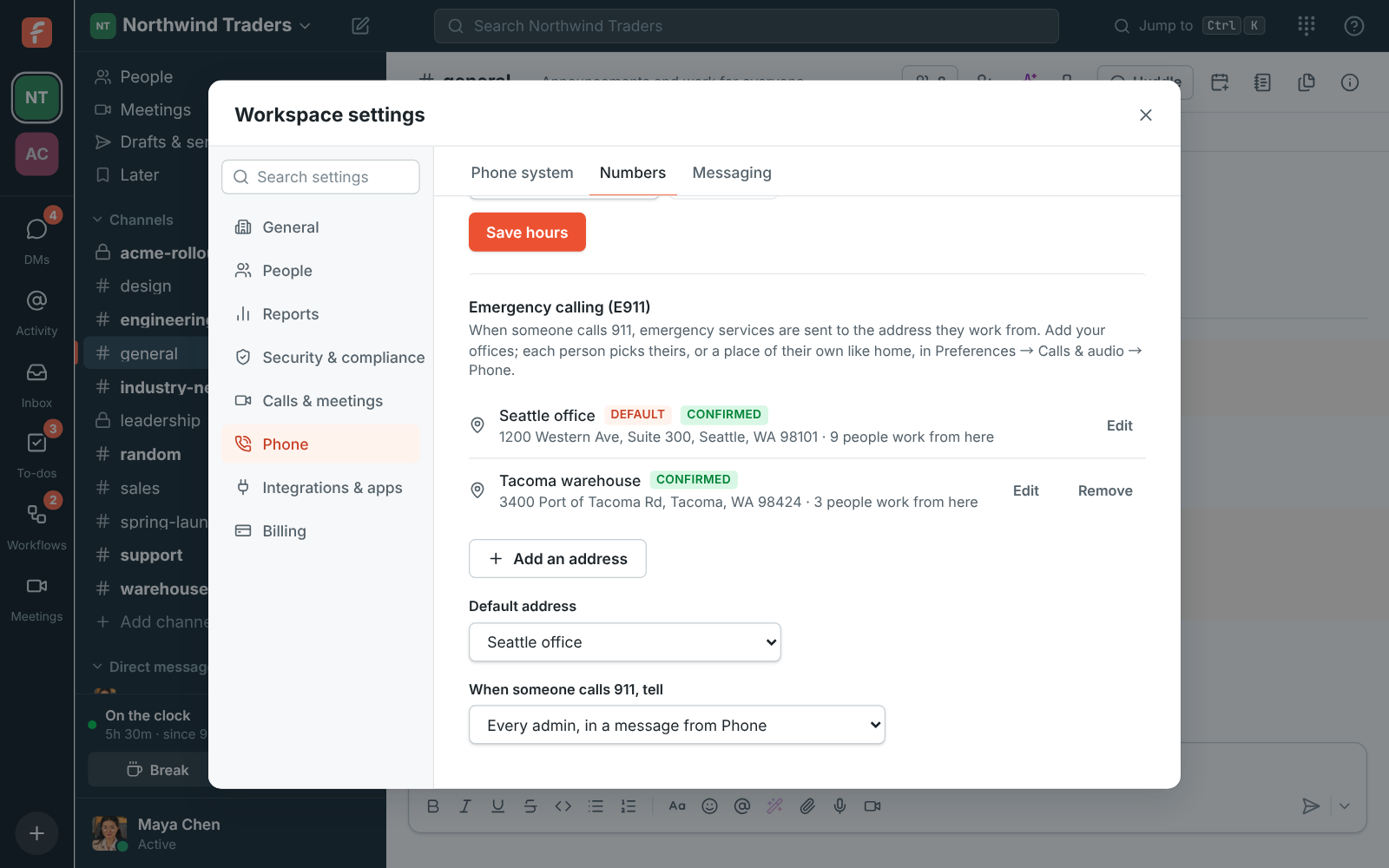
- Under the numbers, open Emergency calling (E911) and add each office, with the street number and suite or floor.
- The first address is the Default address, used for everyone who hasn’t picked a place. With more than one, pick the one most people sit at as the default.
Each address shows whether the carrier Confirmed it or that it Needs fixing: fix a typo in the street or suite and it’s checked again. Addresses are saved now and sent to the carrier as soon as emergency registration turns on; until then they show as Saved.
2. Choose who hears about a 911 call
Section titled “2. Choose who hears about a 911 call”Under When someone calls 911, tell, pick who’s told right away, as US law asks: a channel like #front-desk, or every admin in a message from Phone. The message says who called, from which address, and the number to call them back on, so the front desk can meet the ambulance at the door.
3. Ask everyone to set where they work from
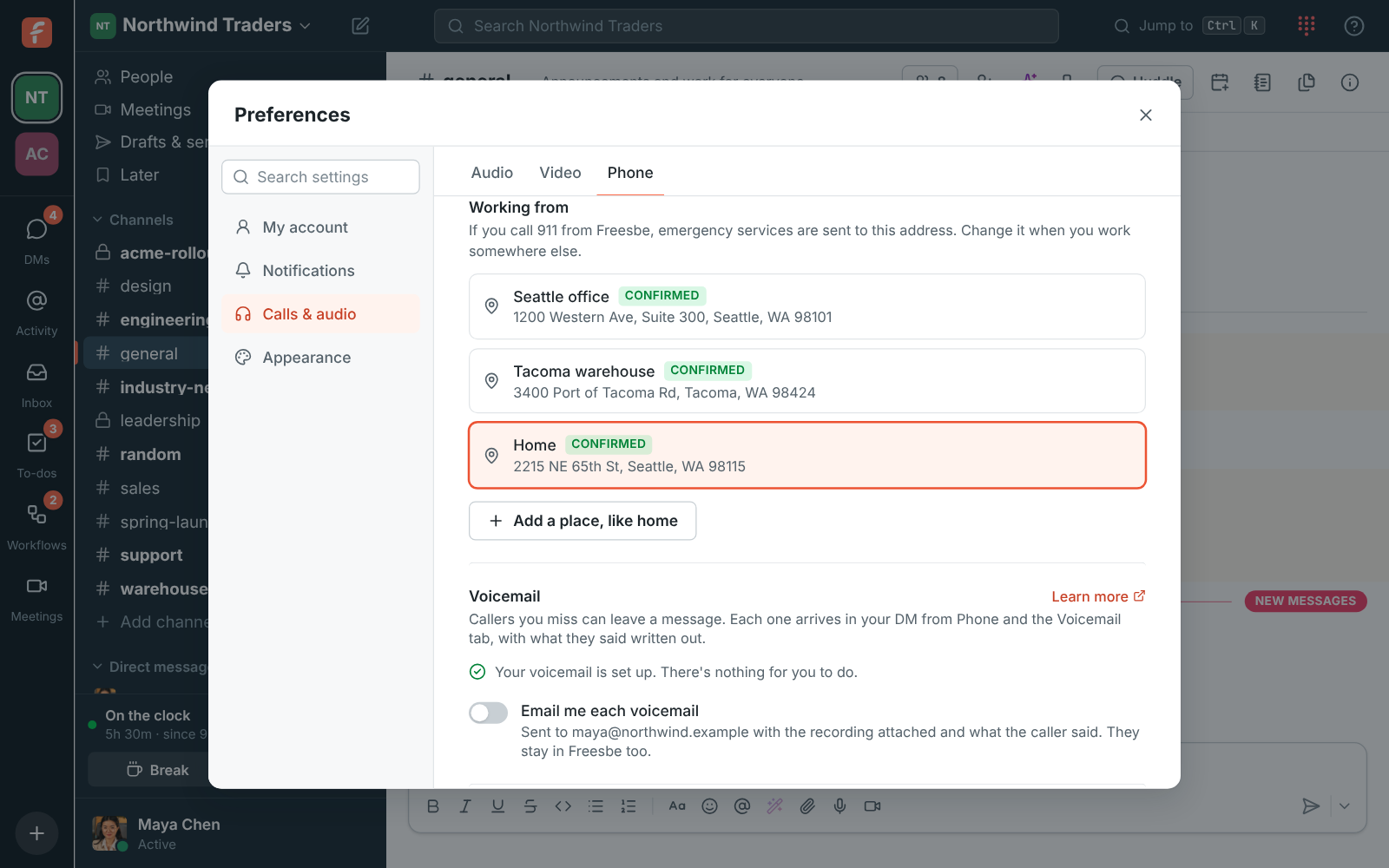
Section titled “3. Ask everyone to set where they work from”Each person picks their own place in Preferences → Calls & audio → Phone → Working from: one of the workspace’s offices, or Add a place, like home for an address only they see. Until they pick one, their calls use the workspace’s default address, which is wrong for anyone who works from home.
Send the team a short message:
Freesbe’s phone can call 911. So the right address goes with the call, open Preferences → Calls & audio → Phone → Working from and pick your office, or add your home address. Change it when you work somewhere else.
What happens next
Section titled “What happens next”- An address people work from, or the default, can’t be removed until they pick another, so an office that closes has to be replaced first.
- People who move between the office and home should change Working from each time. It’s one click, and it only changes their own calls.
- Extensions can’t start with 0 or 9, which reach outside lines and emergency calls, so 911 always goes through.
See Emergency calling (E911) and Where you work from for the details.
Answers come from the Freesbe guides and are written by AI, so check the linked guide before relying on one. Please don't include personal details such as emails or passwords.